Bring it all together.
Organize documents, forms, books, notes and media around the work they belong to.
 Let's talk ↗

DOCUMENT MANAGEMENT. REIMAGINED.
Bring documents, forms, media and institutional knowledge into one intelligent workspace. Less time searching. More room to move forward.
01 / THE PLATFORM
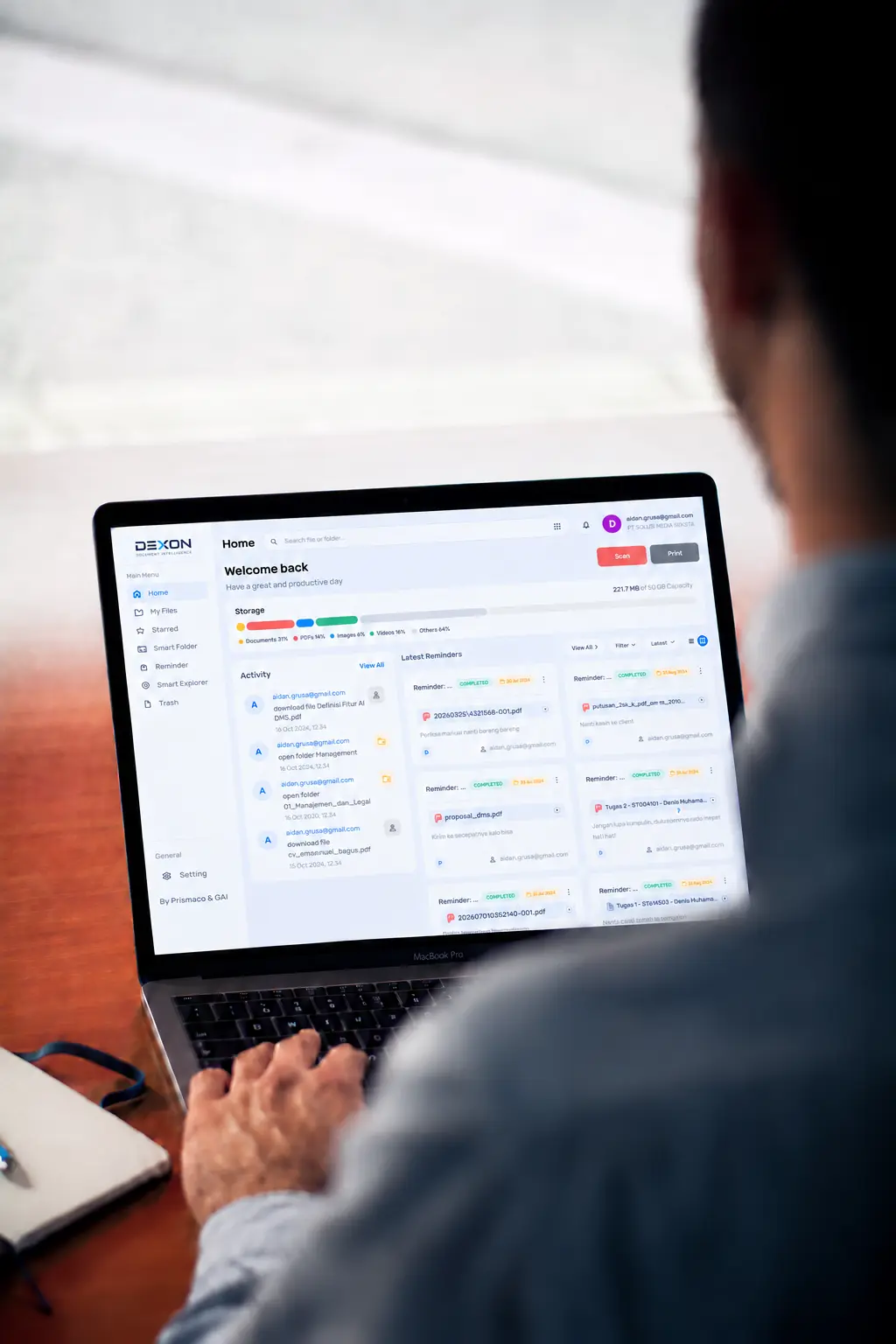
Dexon is a document management system for large organizations and institutions with extensive teams and document workflows. Its connected ecosystem brings signed and annotated paperwork, books, printed materials and digital files into one workspace—from scanning and capture to review, approval and retrieval. It helps people across departments access the information they need and keep work moving.
Organize documents, forms, books, notes and media around the work they belong to.
Search document content and explore relevant source references, beyond filenames.
Surface and compare information with AI-assisted exploration, with your team in control.
THE TOOLS BEHIND THE WORK
From the first scan to the final approval, Dexon brings your everyday document tasks into one connected workspace.
Dexon’s standout feature, Tanyain AI, searches your local document database to find answers from the information your organization already holds. Ask a question or look up a specific detail—without searching file by file.
Bring paper into your workspace.
Capture physical documents and save them to Dexon DMS.
From digital file to printed page.
Send documents to your connected printer when a physical copy is needed.
Check before you open.
View a document before deciding what to read, review or share.
Keep feedback with the file.
Add notes, highlights and annotations to make your review clear.
Move documents toward a decision.
Submit documents for review and approval within your workflow.
Give every team its own space.
Separate storage around departments, projects or working groups.
Work on documents together.
Bring team feedback and document work into one shared workspace.
Put information in the right hands.
Share documents with the people who need them for the next step.
Keep active work under control.
Lock a file while it is being worked on to help prevent conflicting changes.
Bring the right people in.
Invite colleagues into your workspace to work on shared documents.
Bring bound knowledge online.
Digitize books and reference materials for your document collection.
Make the pages fit the work.
Arrange and combine scanned pages into a document in the order you need.
FROM PAPER TO POSSIBILITY
FROM PAPER TO POSSIBILITY
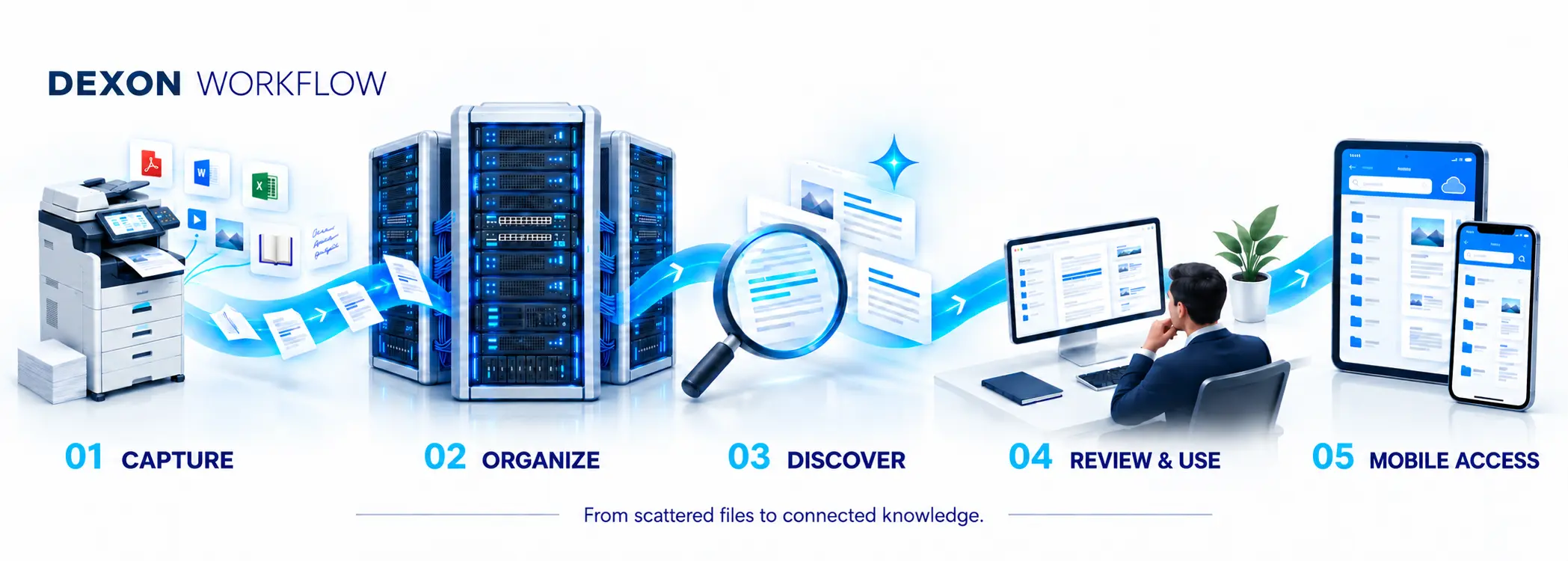
Dexon partners with Prismaco to connect HP commercial scanning and printing machines with Dexon DMS. Turn the machine your teams already rely on into a gateway to your document workspace.
From the moment a document is scanned, it moves into Dexon—ready for authorized teams to access, review and act on across departments and locations.

01 / CONNECTED CAPTURE
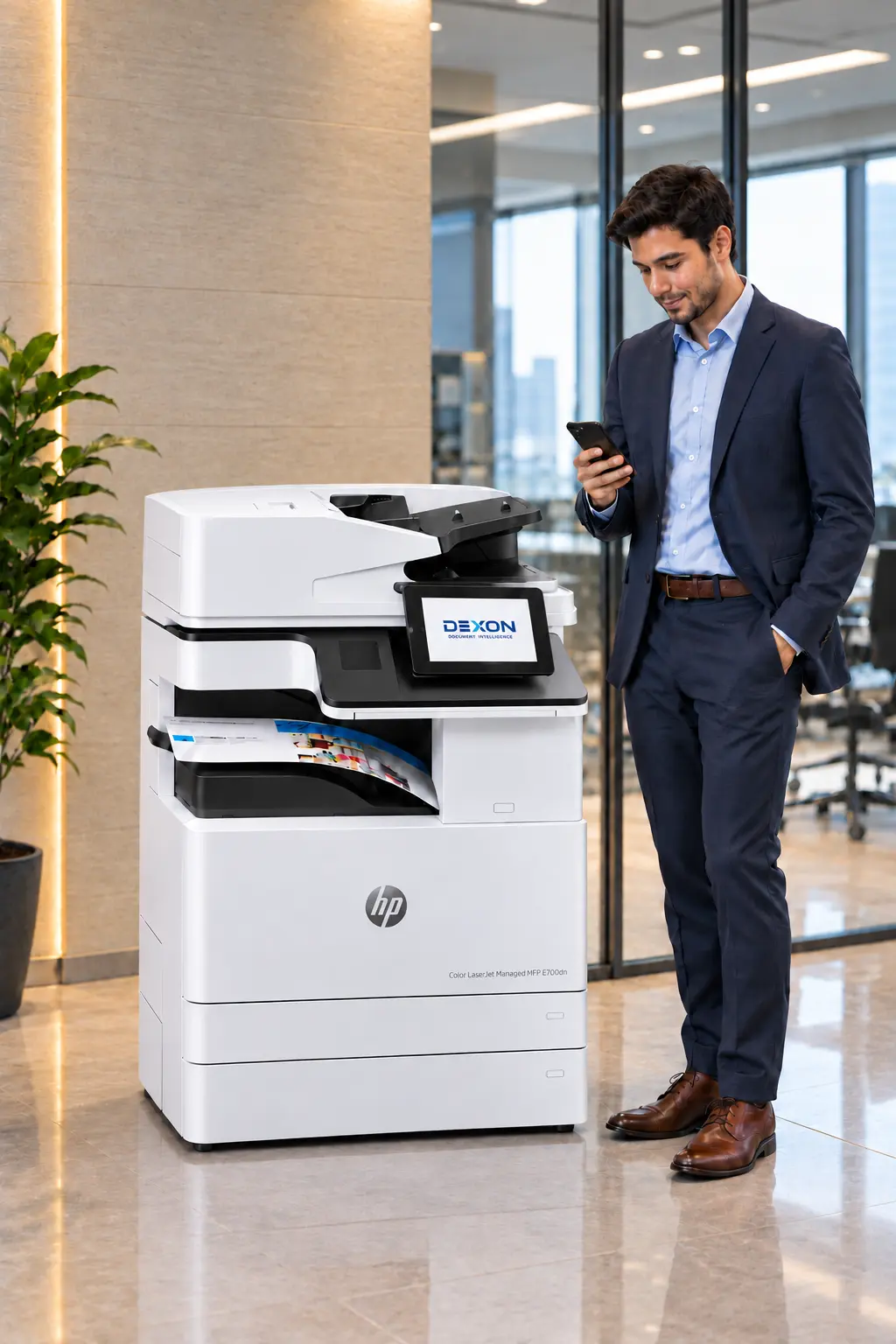
Capture signed documents, annotated pages and printed records on the integrated HP machine. Scanned documents are saved directly to Dexon DMS.
02 / A SHARED WORKSPACE
Bring newly scanned records into the same workspace as your digital files, ready for your team to organize, review and send for approval.
03 / REMOTE ACCESS
Authorized team members can open captured documents remotely through Dexon on desktop or mobile—without returning to the machine or waiting for a manual handover.
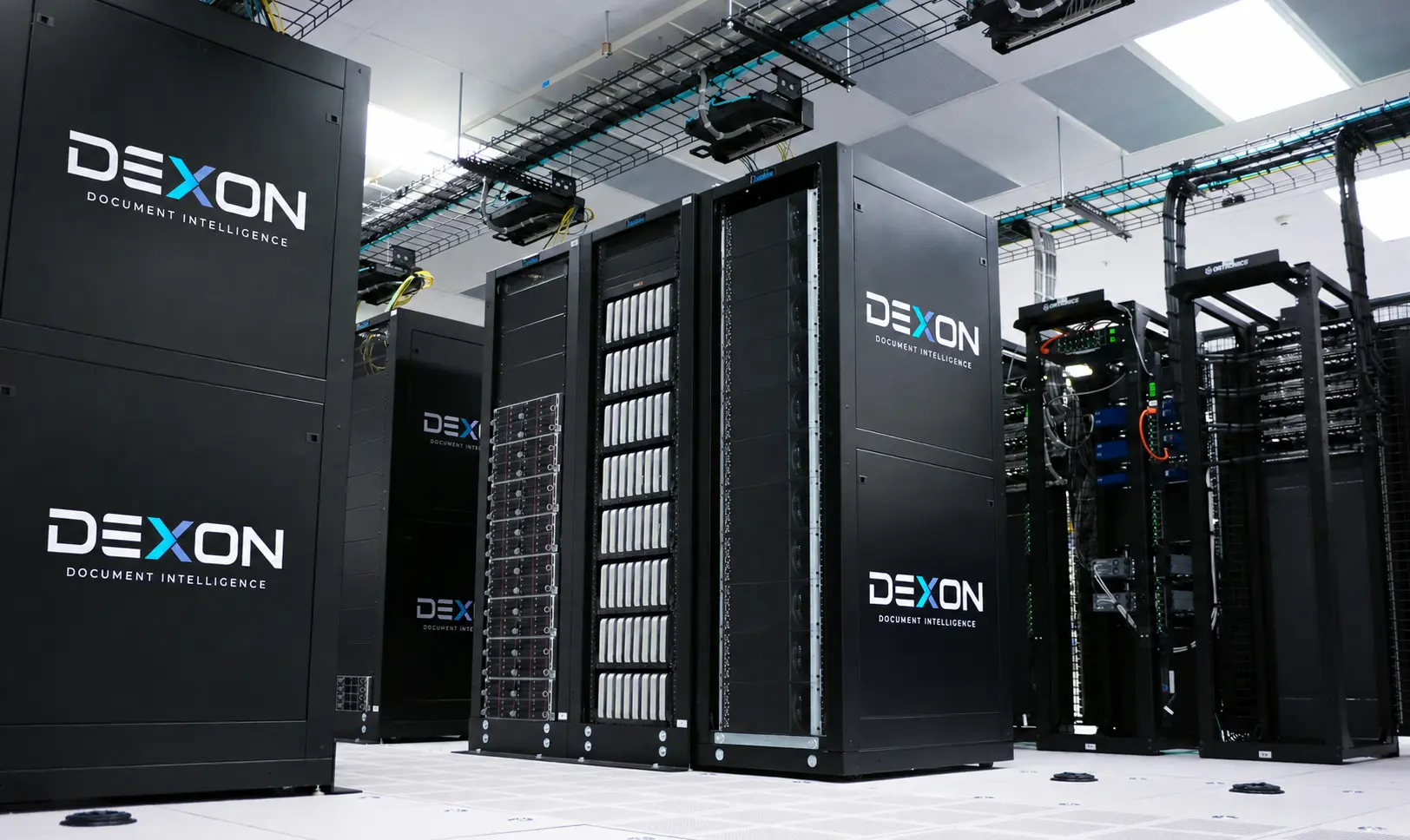
YOUR INFORMATION. YOUR INFRASTRUCTURE.
Dexon combines document management with a hybrid storage system. Connect the app to your local servers, the cloud, or both—so your organization can choose where its files live.
BUILT. MAINTAINED. SUPPORTED.
Dexon can design and build robust local server infrastructure for businesses, institutions and government organizations. From initial setup to ongoing care, we help keep your document environment ready for the work ahead.
Discuss your infrastructureLocal infrastructure planned around your document volumes, users and operating requirements.
Routine inspections and maintenance to identify issues and support reliable operation.
Maintain server hardware and plan upgrades as your storage and performance needs grow.
Maintain firewall configurations and updates to support your organization's security policies.
02 / BUILT AROUND YOUR WORLD
For organizations where documents are part of every decision, every service and every working day.
CORPORATE & ENTERPRISE
Connect the contracts, operational records, policies and project files that keep your business running. Give teams a clearer way to find and use what the organization already knows.
BEYOND FILE STORAGE
When documents drive your business, access is only the beginning. A DMS helps teams find the right information, control revisions and move work forward with greater accountability.
| What matters | FILE STORAGECloud storageKeep files available. | DOCUMENT INTELLIGENCEDocument management systemTurn information into organized, actionable knowledge. |
|---|---|---|
| Core value | Store, sync and share files. | Put documents to work.Connect information to the people, processes and decisions that depend on it. |
| Organization | Group files in folders and manage naming conventions. | Build structure around your work.Use metadata and tags to connect records across departments, projects and cases. |
| Finding information | Search for files, then open them to review the details. | Find the information inside.Full-text search and metadata filters help teams locate relevant content with less manual review. |
| Version control | Use file history and team conventions to keep track of revisions. | Keep the right version in focus.Document versioning and check-in/check-out controls help reduce conflicting edits and uncertainty. |
| Reviews & approvals | Coordinate reviews through shared links, comments and follow-ups. | Move work through a defined process.Route documents for review and approval, with clear ownership and visible progress. |
| Governance & accountability | Manage access and sharing through the controls available in your plan. | Make control part of the workflow.Role-based permissions, audit trails and retention policies support accountable document handling. |
Capabilities vary by product, subscription and configuration. This is a general category comparison; discuss specific Dexon features and deployment requirements with our team.
Explore document management with DexonDESIGNED AROUND RESPONSIBILITY
Large organizations need more than storage. They need a considered approach to who uses information, how it is reviewed and where it belongs.
Start with your access requirements, infrastructure and document workflows. Shape the Dexon conversation around your organization’s responsibilities.
A FEW THINGS TO KNOW
Dexon is a document management system for organizations that depend on large volumes of information. It brings documents and related content into a connected digital workspace, with document intelligence to support discovery and review.
No. Dexon is envisioned for corporate teams, government institutions and law enforcement organizations. Each can organize information around its own departments, projects, services or cases.
The platform vision includes documents, forms, media files, digitized books and notes. Specific file formats, processing capabilities and migration needs can be discussed for your implementation.
Prismaco is Dexon’s partner for the commercial scanning and printing side of the ecosystem, including HP solutions. Together, the aim is to connect physical document capture with digital document management.
AI-assisted exploration is there to support people with finding and comparing information. Your team reviews source material and remains responsible for its decisions.
LET’S CONNECT THE DOTS
Tell us how your organization works with information.
Let’s explore what a connected workspace could look like for you.